Scene Editor
- editing your scene happens here
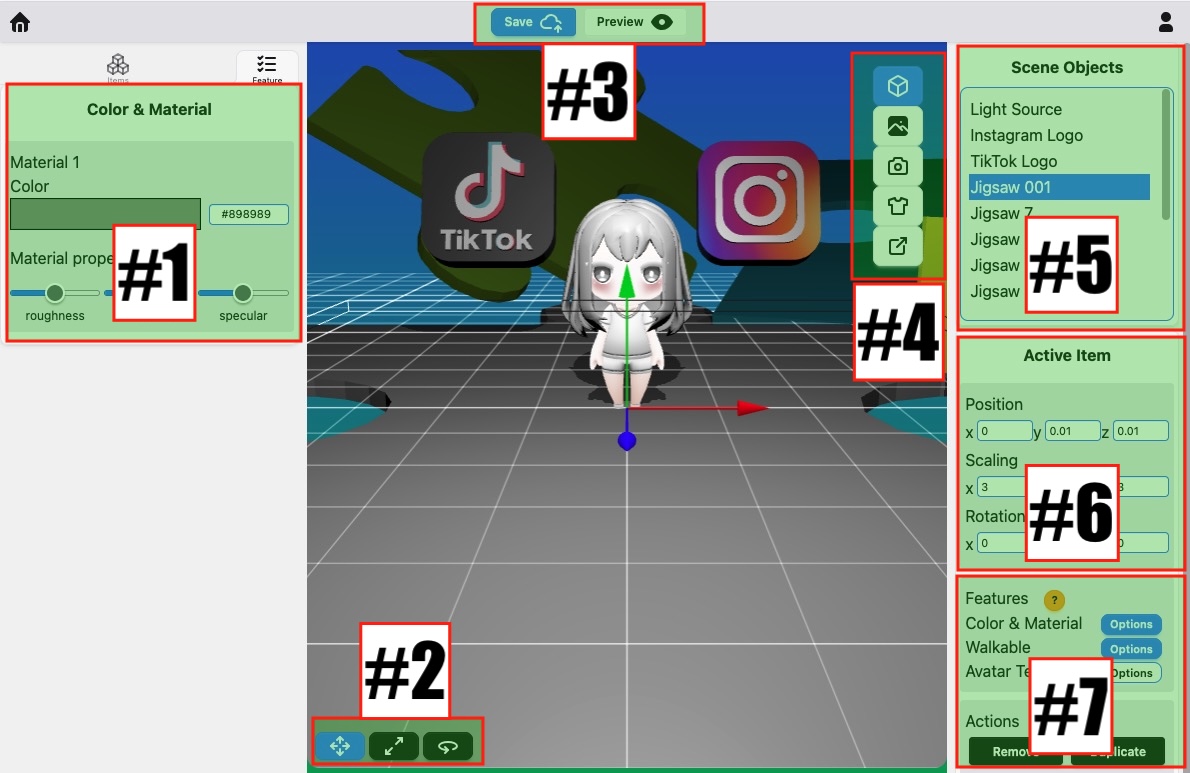
Highlighted Panels Overview
- left sidebar allows editing any selected feature of current item
- bottom-left sidebar allows different way for transformations of selected object:
- change position
- change size
- change rotation
- top panel allows to save and/or preview your scene
- top right overlay allow switching between editing difference scene aspects:
- objects editor
- scene background editor
- camera editor
- character editor
- text links editor
- list of all existing scene items
- panel for transformations of selected object
- change position
- change size
- change rotation
- features editor lists all features of currently selected object
- highlighted button signify which features were already modified
- feature properties will appear in left sidebar (
#1)